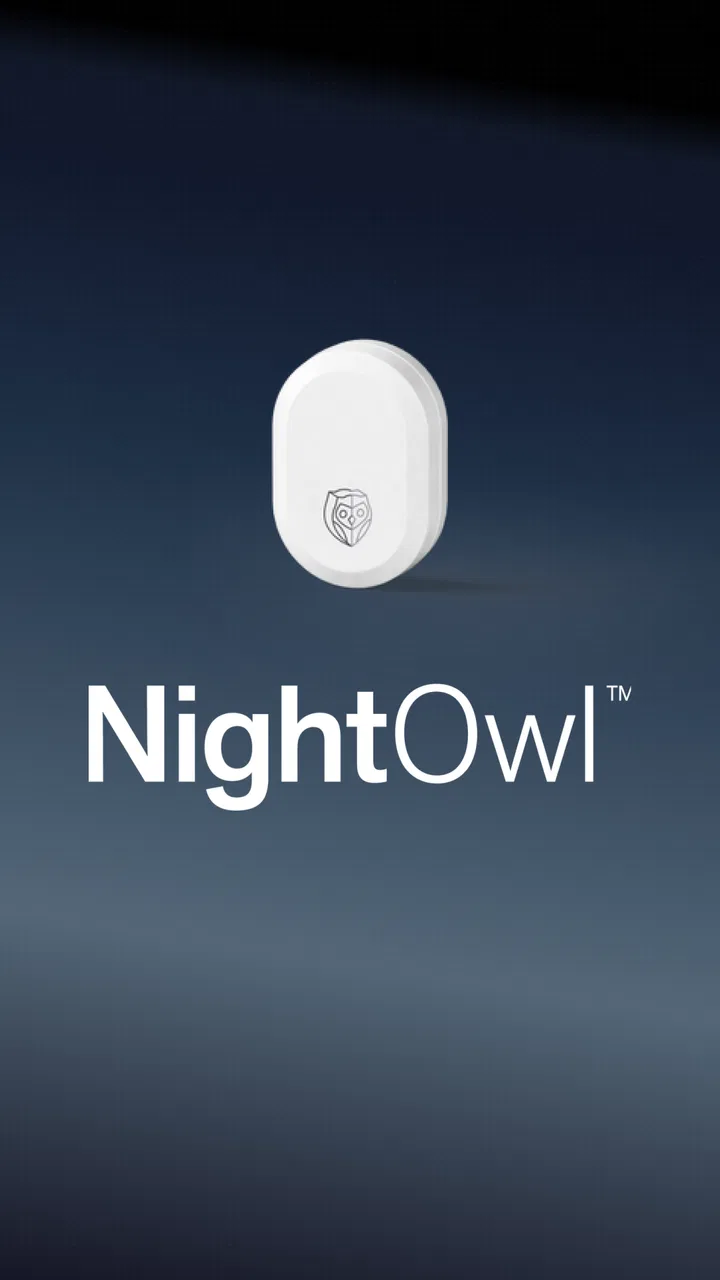
NightOwl Companion
- 4.8
- Rating
- 100.00K
- Installs
- Free
- Price

 Analysis by App-foxy
NightOwl Companion is the kind of medical app that makes sense only when you understand the device it belongs to. Developed by Resmed, it is designed to interact with the NightOwl sensor rather than act as a general sleep diary, wellness dashboard, or stand-alone diagnostic tool. I found that distinction important from the beginning: the app’s value comes from the sensor-based workflow, so the right question is not whether it has the most features in the category, but whether this specific setup matches what you need.
It is free to download, carries an Everyone age rating, and currently sits at version 4.2.0. The app has a 4.7 average from around 18 thousand ratings, with more than 100 thousand installs. Those figures suggest that it has built a solid user base, but they do not change the central decision. If you do not have access to the NightOwl sensor, there is little reason to choose this app over a conventional sleep-tracking tool.
What I would check before choosing NightOwl Companion
Before I commit to a sensor-based routine, I would think through where and when I expect to use it, and whether I can keep the phone and sensor together for that process. I would also decide what I want to do with the resulting information: follow a specific care routine, prepare for a conversation, or simply satisfy curiosity. That expectation helps make the next question clearer: what kind of user benefits most from a deliberately focused design?
You May Also Like

 Blood Strike: 2.5 Anniversary
Blood Strike’s Loadouts Turn Every Drop Into a Tactical Gamble
A close look at Blood Strike’s custom loadouts: how fast access to signature weapons reshapes its battle royale rhythm, rewards preparation, and narrows the gap between fights.

 Pandora - Music & Podcasts
Pandora’s Music Is Easy to Start, but Harder to Recover
Pandora’s strength is its low-effort path from a seed to a station. Its weak spot is how much confidence it asks you to place in connection, setup, and quiet recovery.

 8 Ball Pool
 Is Built on Rivalries, Rematches, and Routine
A close look at the rivalries, rematches, shared routines, and unanswered safety questions that turn a quick pool match into a persistent mobile community.

 Samsung Music
’s Quiet Strength Is Playing What You Already Own
Its reach comes less from spectacle than from dependable access to a personal library. That simplicity is both the app’s strongest retention engine and its ceiling.

 AccuWeather: Weather Radar
AccuWeather Review: A Quick, Clear Forecast for Everyday Decisions
For everyday plans, the best forecast is the one you can understand quickly. AccuWeather makes rain timing, radar, and local conditions easy to act on, with a few trade-offs.

 Hill Climb Racing
Why Hill Climb Racing Still Turns Crashes Into One More Run
A tiny car, a bumpy hill and one more upgrade: Hill Climb Racing keeps resurfacing because its simple chaos makes every near-miss feel personal.
More From Our News Desk
View All News


The sensor is the starting point, not an optional extra
Most sleep apps begin with the phone. They ask you to place the device near the bed, wear a smartwatch, or enter information manually. NightOwl Companion takes a different route. Its purpose is to let you interact with the NightOwl sensor, which means the app should be judged as one part of a hardware-and-software experience.
That changes the practical setup. Before installing it, I would first confirm that I have the correct NightOwl sensor and that I understand how the sensor is meant to be used. Installing the application alone does not turn an ordinary phone into a medical sensor. This is the first meaningful trade-off, and it is easy to overlook when reading a short store description.
For someone already using the NightOwl system, the focused design is a strength. There is less temptation to treat the app as a broad lifestyle platform, and the connection between the physical sensor and the phone is clear. For someone casually curious about sleep, however, the hardware dependency makes the experience less convenient than opening a general sleep journal and starting immediately.
Decide whether you need sensor interaction or everyday sleep notes
I would separate potential users into two groups. The first includes people who need to work with the NightOwl sensor and want a companion application built around that process. The second includes people who simply want to record bedtime, wake time, dreams, caffeine, or how rested they feel. NightOwl Companion is aimed much more clearly at the first group.
A manual diary can be surprisingly useful when the goal is to notice habits. A watch-based platform may be preferable when someone wants sleep trends alongside exercise and other daily activity. A phone-only app may be the easiest choice for a person who wants minimal setup. NightOwl Companion becomes the more logical option when the sensor itself is central to the task.
That difference also affects expectations. I would not install it expecting a large collection of relaxation exercises, a social sleep community, or an entertainment-focused dashboard. Its identity is medical and device-oriented. The best experience is likely to come from treating it as a practical companion rather than as an all-purpose sleep coach.
Compatibility deserves attention before a routine is built around it
The listed minimum operating-system requirement is version 9, which gives the app a reasonably broad starting point for compatible devices. Even so, I would check the phone I plan to use before relying on it for an important routine. Compatibility is not only about installing an app; it is also about whether the phone can maintain a dependable relationship with the sensor during the moments when I need it.
My advice would be to install the app, open it, and become familiar with the connection process before the first serious use. That small trial can reveal whether the phone is the right one to keep nearby, whether the sensor is recognized as expected, and whether the workflow feels comfortable. Doing this early is much better than discovering a setup problem when I am tired or trying to follow a time-sensitive instruction.
Privacy and medical expectations should shape the decision
Because this is a medical app, I would approach it differently from a casual fitness download. I would read the app’s current permission requests and privacy information myself, especially if I plan to share a phone with other people or use it around sensitive health information. I would also keep the app updated through the normal store process, since medical-device companions are not the place where I would ignore available maintenance.
At the same time, I would not use a companion app as a substitute for professional judgment. Any information gathered through a sensor can be useful in a healthcare conversation, but the app should not be treated as the final authority on symptoms or treatment. If I were experiencing worrying breathing problems, severe daytime sleepiness, or another urgent concern, I would seek appropriate medical help rather than waiting for an app interaction to settle the issue.
Where the focused design works best
I see the focused approach working best when the same sensor-led task comes up repeatedly and I value a consistent process over a broad collection of sleep tools. A useful habit is to keep the setup in one predictable place, so preparing for use does not become a nightly scavenger hunt. With that routine in mind, it is easier to judge whether specialization is a welcome constraint—or whether a different kind of app would serve the goal better.
A sensible workflow for a real evening
Imagine that I am preparing for bed after a day when I felt unusually tired. I have the NightOwl sensor available and want to use the system as intended. Instead of opening a generic sleep app and guessing what my phone can observe, I would use NightOwl Companion as the control point for the sensor. The useful sequence is simple in principle: prepare the sensor, open the companion app, confirm that the interaction is ready, and then follow the app’s guidance rather than improvising.
That focused workflow is one of the product’s strongest qualities. It reduces the mental gap between the device I am using and the application on my screen. When a product is built for one named sensor, I usually prefer that clarity to a crowded app that tries to support every possible sleep method. The narrower purpose can make the experience easier to understand, particularly for somebody who does not want to compare several tracking modes.
A less obvious tip is to make the first session a practice session. I would not wait until I am exhausted to learn where the sensor status appears or how the app communicates that the device is ready. A short daytime check can prevent unnecessary frustration later. This is not a glamorous feature, but it is the sort of preparation that makes a device companion feel dependable.
It keeps the device relationship visible
With a general sleep app, it can be difficult to tell whether a result came from a phone, a wearable, a manual entry, or an estimate. A dedicated companion has a clearer mental model: I am interacting with a particular sensor through a particular application. That makes it easier to remember which setup produced the information and to repeat the same routine when consistency matters.
This is especially useful when I want to discuss my experience with a clinician or another knowledgeable person. I can describe the actual system I used instead of vaguely saying that my phone tracked my sleep. I would still avoid drawing medical conclusions from one night, but the dedicated workflow encourages better discipline: use the same equipment, follow the instructions, and consider patterns rather than isolated impressions.
Another practical insight is to avoid changing several variables at once. If I move the sensor, switch phones, alter my evening routine, and start interpreting results differently on the same night, it becomes harder to understand what happened. Keeping the setup consistent gives the companion app a fairer test and makes my own observations more useful.
The free price lowers the first barrier
The application itself is free, which makes trying the software less complicated than committing to a paid subscription before knowing whether the workflow suits me. That matters for a medical companion because comfort and routine are personal. I would rather spend a little time learning how the app fits into my evening than pay for a broad service whose features I may never use.
Still, “free” should be understood in context. The app is not a replacement for the NightOwl sensor, and the overall experience depends on the hardware side of the system. The real decision is therefore about the complete setup, not only the download screen. If I already have the sensor, the free companion is an obvious part of the process. If I do not, the app alone is unlikely to deliver a meaningful experience.
What I found less convenient
The same specialization that makes the app clear also limits its flexibility. I would not choose it as my main place for broad sleep journaling, lifestyle coaching, or comparing readings from unrelated devices. A person who wants one dashboard for a smartwatch, exercise tracker, nutrition log, and sleep notes may find a wider health platform more convenient.
There is also a learning cost whenever hardware is involved. Even a straightforward companion app asks me to remember the sensor, the phone, the connection routine, and the correct order of use. That is more work than tapping a manual diary entry. For users who dislike device setup, the medical focus may feel restrictive rather than reassuring.
My biggest caution is psychological rather than technical: a dedicated sensor can make the results feel more authoritative than they should. I would use the app to support an organized process, not to turn every variation into a diagnosis. That boundary is important for any health-related technology, and it is particularly important when the app is connected to a physical sensor.
When another category may fit better
I would look elsewhere if my main aim were to explore general sleep habits, combine sleep with a wider wellness picture, or avoid relying on a separate sensor. Those goals call for different trade-offs, and a simpler diary or broader platform may fit them more naturally. The key is to choose based on the job I want done, rather than expecting one medical companion to cover every kind of sleep tracking.
Choose a manual diary for reflection and habit changes
If my goal were to understand how late coffee, stressful work, or irregular bedtimes affect how I feel, I might choose a manual sleep diary instead. It would let me record context that a sensor may not capture in the same personal way. The trade-off is that the information depends on my memory and honesty, and I would need to maintain the habit myself.
NightOwl Companion is more suitable when the sensor-based interaction is the reason I am collecting information. A diary is more suitable when my own observations are the main evidence I want to preserve. Neither approach automatically wins; they answer different questions.
Choose a wearable platform for a wider personal dashboard
A smartwatch or fitness platform may be the better alternative for someone who already wears a device every day and wants sleep information beside movement, workouts, or general wellness trends. That kind of system usually feels more integrated into a broader routine because the wearable is already part of daily life.
I would choose NightOwl Companion instead when I specifically need to interact with the NightOwl sensor and do not want the decision buried inside a much larger health dashboard. The narrower scope can be an advantage when a focused medical workflow matters more than collecting every possible metric in one place.
Choose a phone-only tracker for maximum simplicity
Phone-only sleep tools are attractive because they reduce the number of objects involved. For a user who wants a rough bedtime reminder or a simple record of sleep habits, that may be enough. The setup is familiar, and there is no separate sensor routine to learn.
That convenience comes with a different compromise: the phone-only approach may feel less appropriate for someone who specifically needs the NightOwl system. I would not select an alternative merely because it is simpler if the reason I am seeking the app is to work with the dedicated sensor. The right choice depends on whether simplicity or device-specific interaction is the priority.
Think carefully before switching systems
Switching from NightOwl Companion to another category is not just a matter of installing a new icon. I would need to decide whether I am changing the sensor, the way I collect information, or only the way I review it. Those are separate decisions, and mixing them together can make it difficult to know whether a new routine is genuinely better.
For example, if I already have a consistent NightOwl routine, I would not abandon it after one inconvenient evening. I would first identify the exact problem: was the issue learning the setup, keeping the phone nearby, understanding the sensor interaction, or wanting broader lifestyle features? If the problem is broader context, a wearable platform may help. If the problem is simply unfamiliarity, a few deliberate practice sessions may be enough.
Before switching, I would also save any personal notes I consider important and write down the routine I am currently following. That creates a useful reference point. Even without making the process complicated, preserving the context around my observations helps me compare experiences fairly instead of relying on memory.
Who should skip it
I would skip NightOwl Companion if I only want a general sleep journal, if I do not plan to use the NightOwl sensor, or if I strongly prefer a single app that combines sleep with many unrelated health activities. I would also hesitate if setting up and maintaining a dedicated device feels like an ongoing burden rather than a reasonable part of my care routine.
It is not the obvious choice for someone looking for entertainment, relaxation content, or a large social layer. The app’s medical purpose is its identity, so people seeking a lifestyle app may find it too narrow. Likewise, anyone expecting the application alone to provide a complete answer about their health should reconsider the role they want technology to play.
My recommendation after weighing the trade-offs
I recommend NightOwl Companion to people who already use, or are specifically planning to use, the NightOwl sensor and want a focused way to interact with it. In that situation, the app’s narrow purpose is a benefit rather than a weakness. The free download, Everyone rating, and support for devices running version 9 or later make the initial software step approachable, while Resmed’s ownership gives the app a clear connection to the sensor it is designed to accompany.
I would approach it as a practical medical companion, not as a universal sleep coach. Start by testing the sensor-and-phone routine before depending on it, keep the setup consistent, and treat the information as something to discuss and understand rather than an instant diagnosis. Those habits will matter more than any attractive dashboard.
My final decision is therefore conditional but positive: choose NightOwl Companion when the NightOwl sensor is the center of your goal. If you want broad lifestyle tracking, manual reflection, or the fewest possible setup steps, another category may fit better. For the right user, though, the focused connection between sensor and app is exactly what makes this medical application worth using.
FAQs for NightOwl Companion
01What features does NightOwl Companion offer to enhance my nighttime routine?
NightOwl Companion is designed to optimize your nighttime experience with features like customizable sleep sounds, a smart alarm clock, and guided meditation sessions. It also includes a unique sleep tracker that monitors your sleep patterns and provides insights to help improve your sleep quality. The app's intuitive interface makes it easy to personalize settings to suit your preferences.
02Is NightOwl Companion compatible with both Android and iOS devices?
Yes, NightOwl Companion is available for both Android and iOS platforms. It is optimized to run smoothly on a variety of devices, ensuring a seamless experience whether you are using a smartphone or tablet. You can download it from the Google Play Store for Android devices or the Apple App Store for iOS devices.
03Does NightOwl Companion require an internet connection to function?
While some features of NightOwl Companion, such as downloading new sleep sounds or accessing online guided meditations, may require an internet connection, most of the core functionalities can be used offline. This includes the alarm clock and sleep tracker, allowing you to use the app even when you don't have internet access.
04Are there any subscription fees or in-app purchases in NightOwl Companion?
NightOwl Companion offers a free version with basic features, but there is also a premium subscription available. The premium version includes additional features such as a wider selection of sleep sounds, advanced sleep analytics, and exclusive meditation content. Users can choose to purchase the premium subscription through the app to enhance their experience.
05How user-friendly is NightOwl Companion for first-time users?
NightOwl Companion is designed with user-friendliness in mind, offering an intuitive interface that is easy to navigate even for first-time users. The app provides a guided setup process to help users customize their settings quickly. Additionally, there are helpful tips and tutorials available within the app to assist users in maximizing their use of its features.
Pros
- User-friendly interface for easy navigation.
- Customizable notification settings.
- Integrates well with smart home devices.
- Offers detailed sleep analysis reports.
- Supports multiple user profiles.
Cons
- Limited features in the free version.
- Occasional syncing issues with devices.
- Requires constant internet connection.
- Some features locked behind paywall.
- Battery consumption can be high.

NightOwl Companion
Gallery